
You can reach the repository-level PRCC settings page from the Organisation area. This article covers the navigation that is supported in the available source.
Step by step
- Go to Organisation.
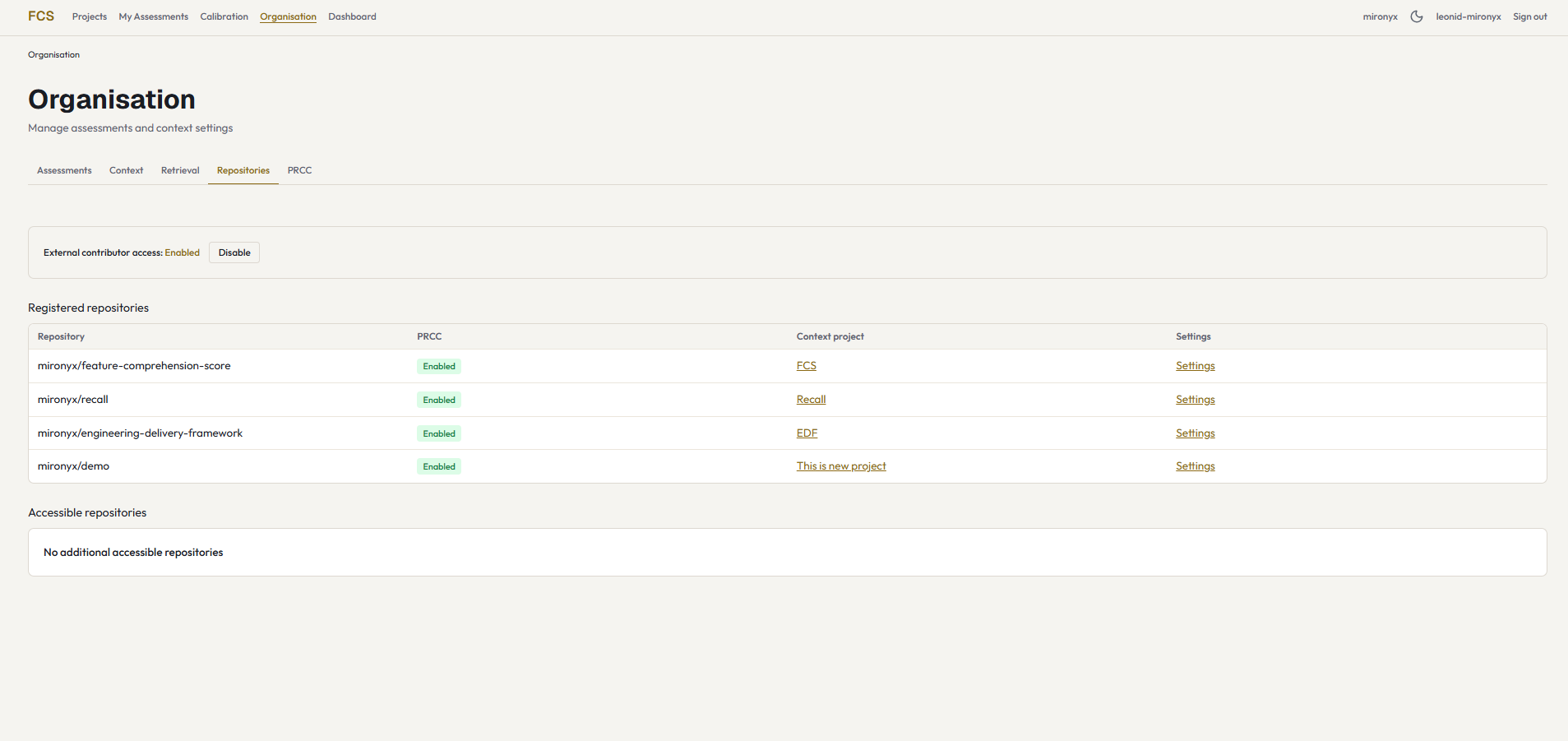
- Open Repositories.
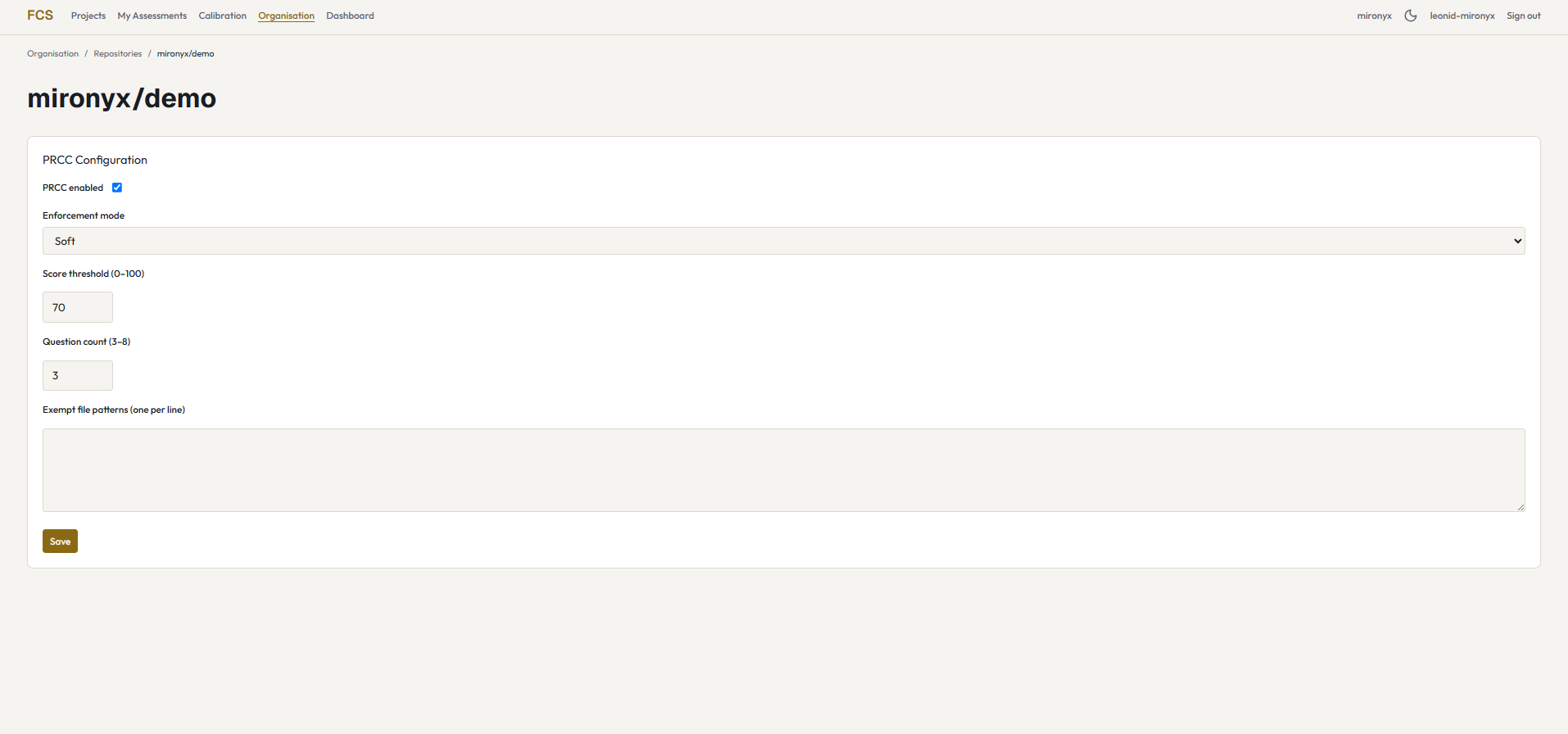
- Select the repository you want to manage to open its repository settings page.
- Use that repository page to continue PRCC configuration for the selected repository.


Good to know
You must belong to the organisation to reach these pages. Repository-level access is limited to people who are allowed to manage that repository.
If you can open Organisation but cannot update a specific repository, ask an Org Admin or a repository admin for that repository to make the change.