
You can use an assessment’s results page to check completion status and review the scored results that are available to you for that assessment.
Step by step
- Open the project that contains the assessment.
- In Assessments, open the assessment you want to review.
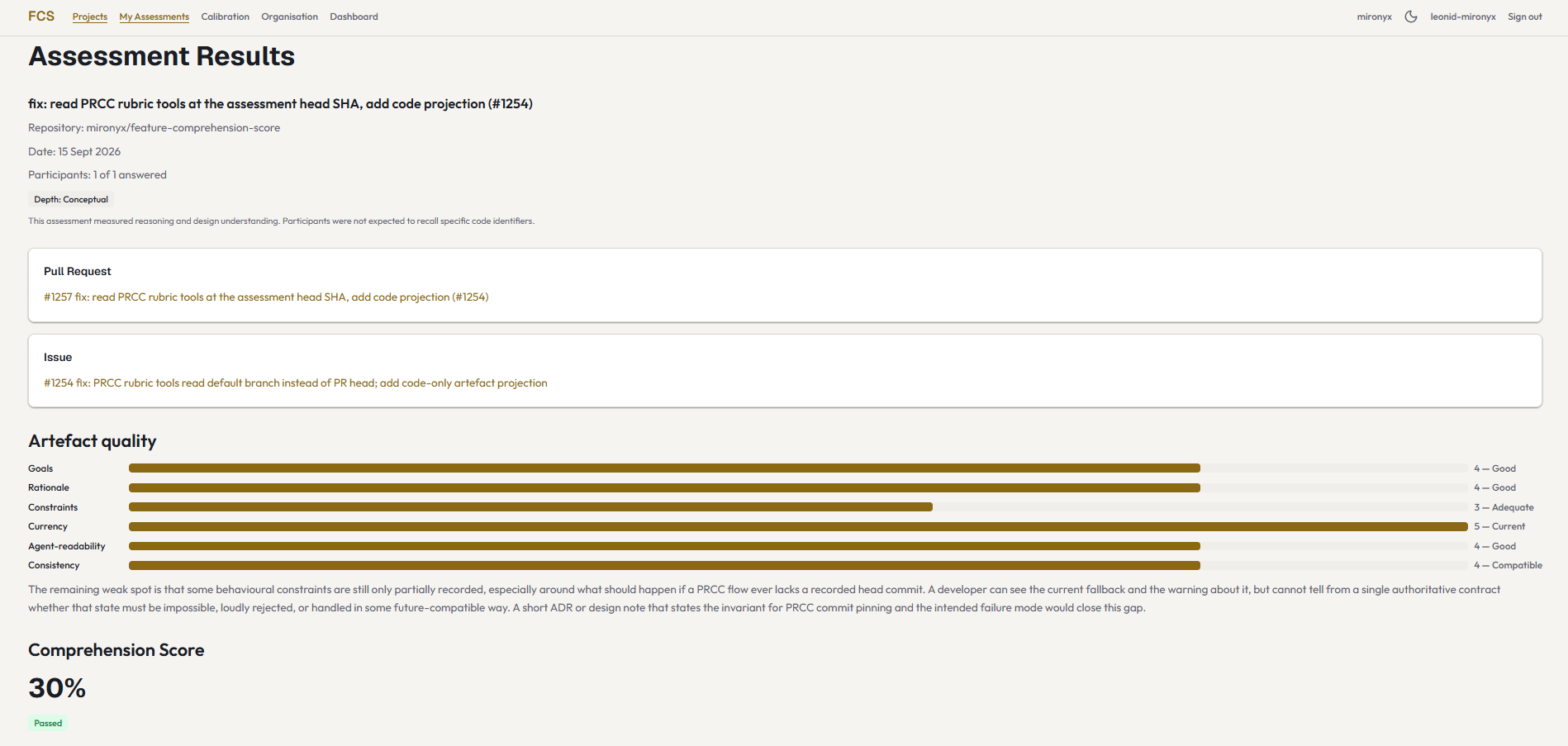
- From the assessment, open its results page.
If you do not see a way to open results, your access may be limited by your role or by the assessment’s current state.
- Use the back link at the top of the results page if you need to return:
- Back to assessment for admin users
- Back to My Assessments for non-admin users
- Review what is currently available on the results page:
- The page title is Assessment Results.
- If scoring is still in progress, you will see progress shown as X of Y completed.
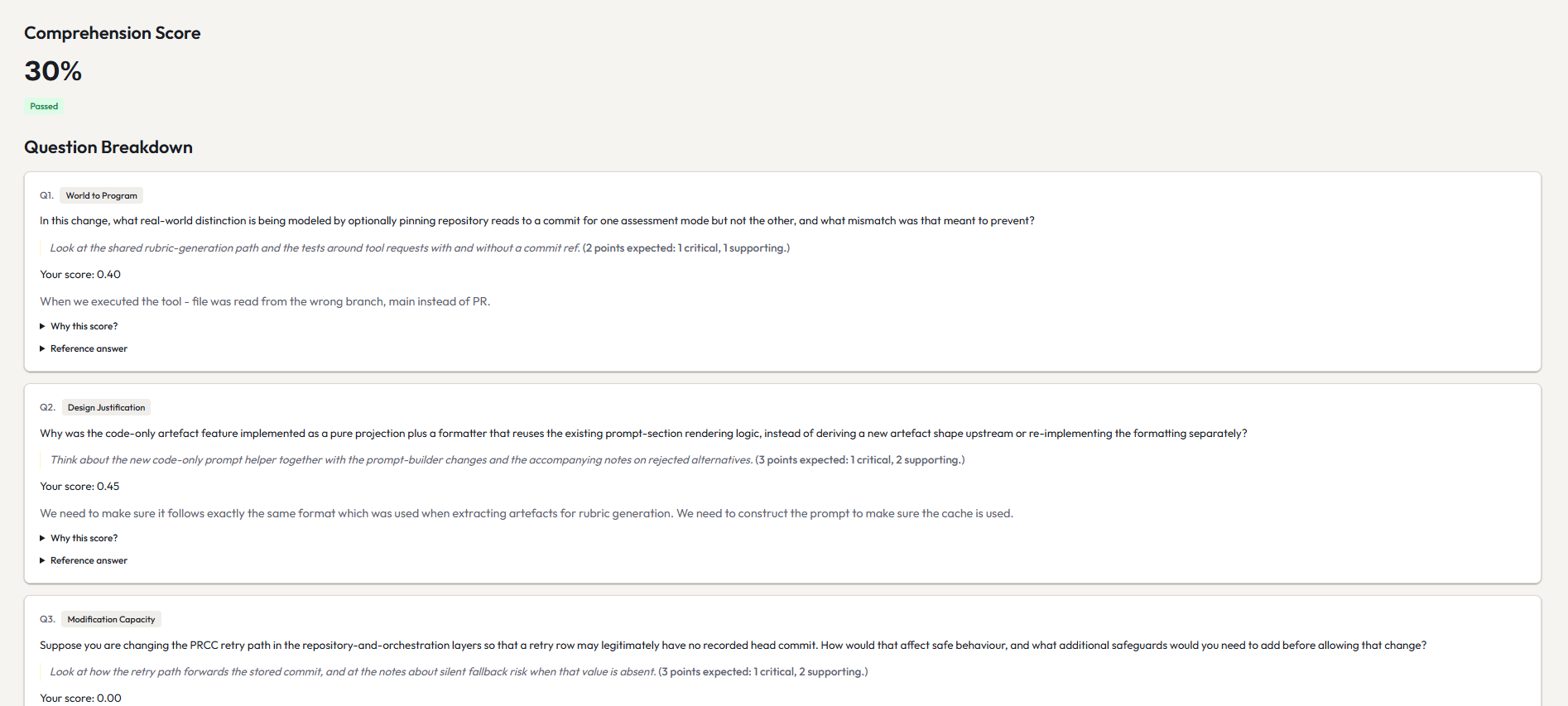
- If results are available, questions are grouped with Naur layer labels:
- World to Program
- Design Justification
- Modification Capacity
- The assessment depth is shown as either Conceptual or Detailed.
- Where scores are available, unanswered or unscored values may appear as —.


Good to know
You can view assessment results only if you are a participant in that assessment, an organisation admin, or an admin for that repository. If you cannot open the results page, ask an admin to confirm your access.
- Reference answers are not shown until all participants have submitted and scoring is complete.
- If assessment processing fails, the results page shows an error message and you will need to contact your administrator.