
You can open one assessment and check whether the team completed it, how each question scored, and whether reference answers are available. If you need broader result review across assessments, see Review assessment results.
Step by step
- Open the project that contains the assessment.
- In Assessments, select the assessment you want to review.
- Use the assessment details to confirm you are looking at the right feature:
- the assessment title is shown at the top
- Repository
- Status
- Type
- Created
- Updated when available
- Check Participants to see who was included and who has finished:
- Login shows each participant
- Status shows each participant’s current assessment status
- Submitted shows when they submitted, or — if they have not submitted
- Review the scored question results in the assessment results section. For each question, you can use these fields to judge both coverage and depth:
- Q number to identify the question
- the Naur layer badge: World to Program, Design Justification, or Modification Capacity
- the question text
- Aggregate score, shown as a percentage, or — when no score is available
- Check for scoring gaps before you interpret low or missing scores:
- if a question shows Unable to score, that answer could not be scored
- if a score shows —, no computed score is available for that item
- Open Reference answer on any question when you want to compare the expected answer with the team’s result.
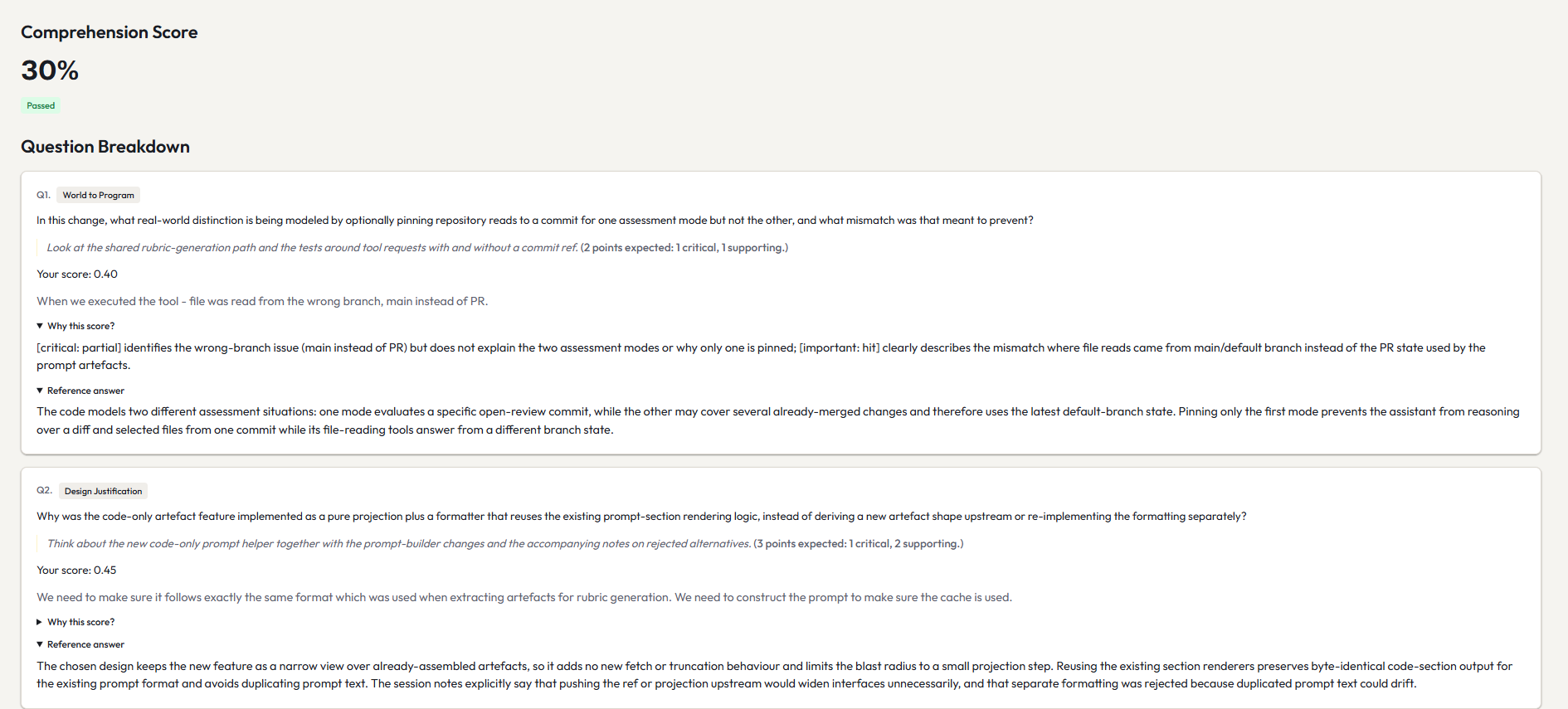
- If reference answers are not available yet, use the participant completion counts at the top of the results to see why. Reference answers stay hidden until everyone has submitted and scoring has finished.

If you need to inspect or complete an individual participant submission before results are fully revealed, use Complete an assessment and submit your answers.
Good to know
- Reference answers are withheld until all participants have submitted and scoring is complete. Until then, you may see: Reference answers will be visible once all participants have submitted and scoring is complete.
- You can only review results you have access to. If you cannot open an assessment’s results, ask an organisation admin or the relevant repository admin to confirm your access.