
Use the Dashboard to spot which projects need attention, then open a project dashboard when you need more detail. This helps you separate organisation-wide patterns from project-specific follow-up.

Step by step
- After you sign in and select an organisation, open Dashboard.
- Start with the summary metrics at the top to judge overall team health across the organisation:
- Total assessments shows how many assessments have been run.
- Average score shows the overall comprehension score across those assessments.
- Coverage rate shows the percentage of expected coverage that has been reached.
- Pending assessments shows how many assessments are still outstanding.
- Use the project table to decide where to drill in first:
- Project identifies the project you can open.
- Total shows how many assessments that project has.
- Avg Score shows that project's average comprehension score.
- Coverage shows that project's coverage rate as a percentage.
- Pending shows how many assessments are still outstanding for that project.
- Late shows how many assessments are late.
- Concentration shows the concentration breakdown for that project.
- Stay on the organisation Dashboard when you want to compare projects side by side. This is the quickest way to find projects with lower Avg Score, weaker Coverage, more Pending, or more Late assessments than the rest.
- Click a project name when one project needs closer review.
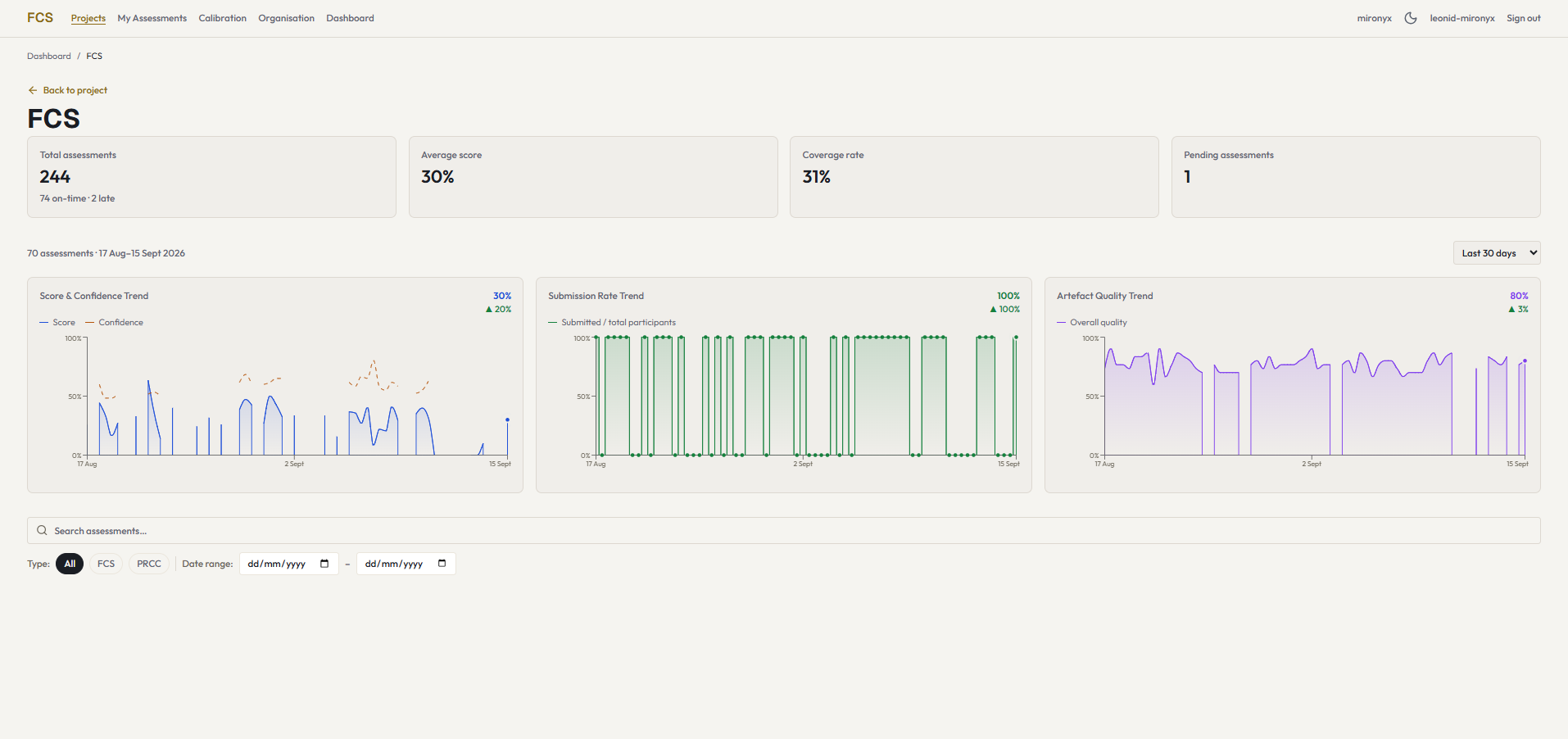
- On the project dashboard, use the project-level metrics to confirm whether the issue is limited to that project:
- Total assessments shows the number of assessments for the project.
- Average score shows the project's average comprehension score.
- Coverage rate shows the project's coverage percentage.
- Pending assessments shows how many assessments are still outstanding.
- Use the project dashboard when you need project-specific follow-up rather than cross-project comparison. If you need to review detailed results for that project, continue with Review assessment results for a project.

Good to know
If Dashboard shows No projects yet, there are no projects available in the organisation you selected. Create one from your organisation's projects area if you have permission.
You only see dashboard data after signing in and selecting an organisation. If you are blocked from a project dashboard, the project may not belong to your selected organisation or may not be available to you in that context.